
 Tim Mcgrady
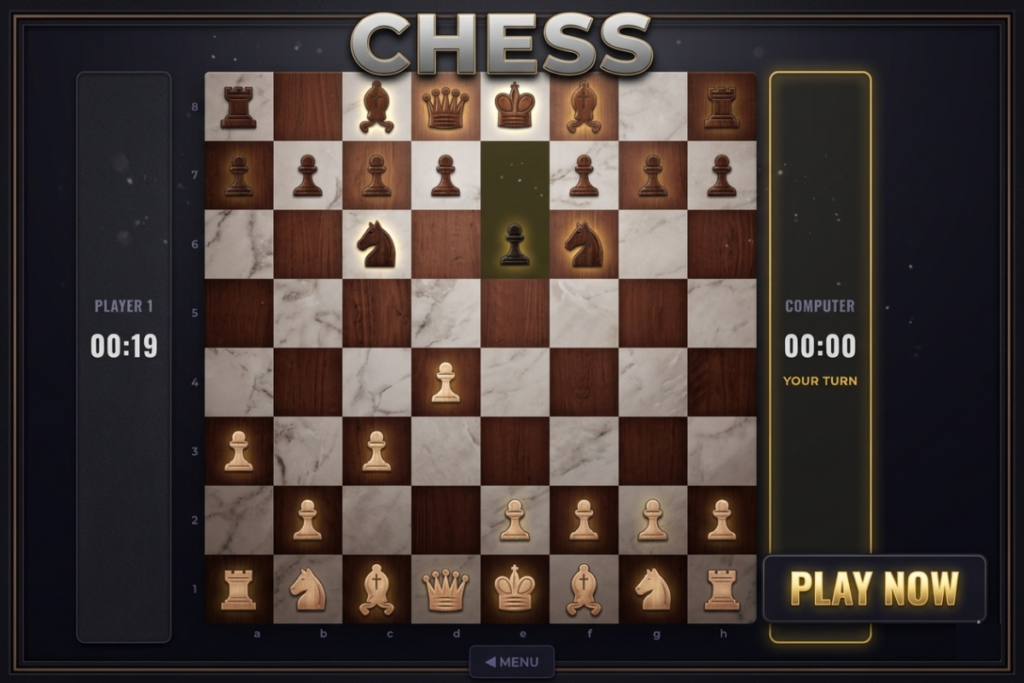
Press the Start Game button to start the game
Mission Briefing
Commander, the tactical matrix is active. You have been deployed to the virtual standard 64-square battlefield, commanding an elite detachment of stylized chess variants. Your objective is absolute tactical supremacy over the opposing commander—whether that commander is a human player sharing your terminal or the local automated AI module.
The battlefield features localized audio dampeners, precision spatial positioning trackers, and real-time temporal countdown sub-routines. Analyze the board, identify positional weaknesses, protect your High-Value Target (The King), and neutralize the enemy operational chain of command. The operation is ready for your deployment.
Objective
The core objective is to trap the opponent’s King in a state of Checkmate—a position where the King is under direct threat of capture and has no legal avenues of escape, blocks, or counter-captures. Concurrently, you must manage your active tactical timer to ensure you do not suffer an operational defeat via clock expiration (Timeout).
Game Controls
Whether you are navigating the UI on a desktop terminal or deploying commands via a mobile device, the system uses an intuitive multi-phase selection control flow.
Desktop Controls
- Menu Navigation: Left-click on buttons (
1 PLAYER,2 PLAYER,START,MENU) to navigate menus and configure setups. - Renaming Profile: Left-click the Edit Icon (pencil tool) in the vs-screen setup, type your identifier, and press
Enteror click away (Blur) to save your custom handle. - Swapping Sides: Left-click the Swap Icon to toggle your starting faction assignment between White and Black.
- Selecting a Piece: Left-click on any friendly piece on your turn. The tile will light up with a golden selection matrix, and potential destination coordinates will appear.
- Executing a Move: Left-click on any square highlighting a Legal Destination Indicator (dots for vacant tiles, open rings for hostile targets).
- Pawn Promotion Selection: When a pawn reaches the opposite baseline, a modal layer triggers. Left-click your chosen technical upgrade piece from the window options.
- Audio Controls: Left-click the floating Speaker Icon in the top-right corner to toggle system oscillators and sound effects on or off.
Mobile Touch Controls
- Menu Navigation: Tap on any option or choice configuration directly on the touchscreen.
- Renaming Profile: Tap the Edit Icon to pull up your device’s native virtual keyboard, type your tag, and tap away or hit the return key to confirm.
- Piece Selection & Movement: 1. Tap once on the piece you want to control to highlight its valid pathways.2. Tap once on the target destination indicator to complete the move animation.
- Pawn Promotion Selection: Directly tap the graphic representing your desired promotion asset within the overlay modal box.
- Audio Control: Tap the top-right Speaker Icon button zone to instantly mute or activate built-in synthesized audio cues.
Game Description
Welcome to a streamlined, ultra-responsive digital adaptation of the timeless classic, Chess. Built with a futuristic dark minimalist dashboard, this client brings together chess-engine algorithms and an elegant user interface to create a fast-paced strategy game.
Players can lock horns with an automated local computer rival featuring deep alpha-beta lookahead search trees (AI_DEPTH = 3) or play against a friend locally via pass-and-play mechanics. The app contains custom synthesized retro-wave sound alerts generated procedurally through browser oscillators—giving distinct audio feedback for regular movements, capture eliminations, check notices, and critical game-over declarations. Tracking indicators elegantly frame the modern board layout, reflecting dynamic captured inventory lanes, historical movement highlights, and active game timers for an immersive tactical experience.
Features
- Intelligent Local AI: Challenge a 3-ply deep computer intelligence utilizing custom piece-square evaluation tables ($PST$) to deliver tactical moves instantly.
- Custom Procedural Sound Effects: Experience authentic audio dynamics. The game uses a dedicated sound chip simulation framework (
AudioContext) to synthesize unique, original wave tracks dynamically without loading external files:- Move: A crisp, clean lowpass triangle wave slide.
- Capture: A complex, high-impact bandpass white-noise friction burst coupled with a deep sine punch.
- Check: A dual-frequency warning chord alarm sequence.
- Checkmate: A dramatic four-tone cascading minor harmonic resolution.
- Automated Special Rules Engine: Seamless execution of foundational complex rulesets, including En Passant capture windows, Castling checks (King-side and Queen-side protection maneuvers), and pawn Promotion Overlays (Queen, Rook, Bishop, Knight variations).
- High-Fidelity Visual Assist Matrix: Includes golden selection anchors, subtle check-status background pulses, and distinctive UI visual cues displaying clear visual dots for normal paths and radial target frames for capture opportunities.
- Responsive Multi-Device Layout: Scaling features seamlessly adapt across desktop workspaces and portrait smartphone formats (
72vminconstraints to avoid interface stretching).
Tactical Tips & Strategy
1. Master the Piece-Square Tables (PST Matrix)
The AI thinks by weighing position scores using spatial evaluation weight layouts embedded deep in its script code. You can use these identical strategic profiles to optimize your positioning:
- Knights to the Center: Knights lose considerable value when close to border tracks (scoring as low as $-50$). Keep them routed through central matrices where their mobility spans the maximum number of paths.
- Pawn Structure Walls: Pawns gain significant incremental positional score values as they march deeper up the board rows. Push them forward strategically to claim space, but secure them into unified protection chains.
2. Protect the King and Castling Rights
- Moving your King or corner Rooks early flags their castling states to
falseforever inside the mechanics tracker. - Keep your baseline pieces steady until you can clear space to castle early, shielding your King behind an intact wall of pawns.
3. Track Capture Assets Real-Time
- Always check the lateral player dashboard panels (
#captured-leftand#captured-right). Monitoring piece losses helps you gauge material balances, allowing you to choose whether to trade into an advantageous endgame or hold onto pieces.
4. Watch for Sudden Overtime Hazards
- Because the interface includes precise countdown variables, keep an eye on your remaining time bank. A strong position can quickly crumble if you run out of time, so make your decisions efficiently.




GIPHY App Key not set. Please check settings