 Michael Cambridge
Press the Start Game button to start the game
Mission Briefing
Operation: Tactical Grid Domination
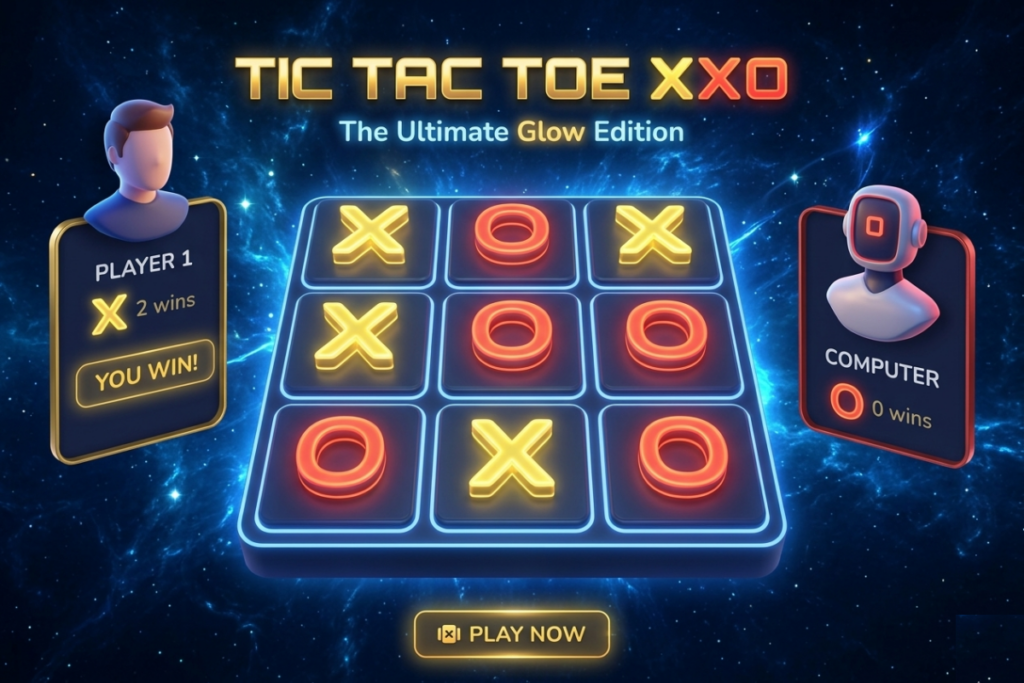
Welcome to Tic Tac Toe XXO, a stylized, neon-infused tactical simulator that upgrades the centuries-old classic into a sleek, fast-paced battle of wits. Whether you are matching algorithms against a highly adaptive machine intelligence or locked in a high-stakes local duel against a friend, your objective is absolute control of the matrix.
The grid is waiting. Initialize your protocols, read the board lines, and secure your victory.
Game Description
Tic Tac Toe XXO takes the traditional 3×3 pencil-and-paper game and evolves it into a fully customizable premium digital arena. Built with stunning orbital-neon aesthetics, ambient particle dynamics, and immersive physical audio generated right in your browser, this is the ultimate way to play Tic Tac Toe.
Forget basic limitations—XXO introduces adjustable grid layouts ($3 \times 3$, $4 \times 4$, or $5 \times 5$) and matches them with customizable win thresholds. Face off against a smart virtual opponent featuring three distinct intelligence tiers, or share your screen for an instant local 2-player multiplayer showdown.
Objective
Your core directive depends on your active settings:
- Form a Line: Be the first player to place your holographic marks ($X$ or $O$) in an unbroken, continuous sequence—either horizontally, vertically, or diagonally.
- Meet the Threshold: Depending on the configuration chosen in the settings menu, you must successfully chain exactly 3, 4, or 5 marks in a row to trigger a board-wide overload and win the round.
How to Play & Controls
Desktop Controls
- Mouse Click (Primary Interaction): Hover over any empty cell to see a subtle predictive placement glow. Left-click to lock in your mark.
- Menu & Toggle Navigation: Left-click the upper-right corner icons to toggle audio muting or to bring up the Settings panel.
- UI Buttons: Click “New Round”, “Reset Scores”, or “Play Again” to interact with the game flow.
Mobile Controls
- Tap to Place: Tap once on any open cell on your touch screen to instantly drop your $X$ or $O$ mark.
- Responsive Scaling: The interactive grid dynamically scales to perfectly fit both landscape and portrait dimensions, ensuring zero lag or mis-registered taps during crucial moves.
Key Features
- Dynamic Grid Engineering: Seamlessly switch between a classic $3 \times 3$ grid, a spacious $4 \times 4$ layout, or an expansive $5 \times 5$ matrix.
- Variable Win Metrics: Challenge your brain by separating the grid size from the win rules (e.g., fight on a massive $5 \times 5$ field but rush to secure just 4 in a row).
- 3 AI Difficulty Tiers:
- Easy: A relaxed computer opponent that moves almost completely at random.
- Medium: A balanced algorithm that actively checks for basic block opportunities.
- Hard: A highly reactive opponent looking several steps ahead to trap you.
- Custom Audio Engine: Uses the Web Audio API to synthesize crystal-clear, custom sound effects directly from your hardware—featuring distinct note frequencies for $X$, $O$, winning fanfares, and realistic AI “thinking” ticks.
- Built-in Telemetry: Tracks current match times, player victory points, and total tied draws across sessions.
Tactical Tips
Tip 1: The Size Advantage
When playing on expanded grids ($4 \times 4$ or $5 \times 5$) with a lower win threshold like “3 in a row”, corner positions become slightly less critical. Instead, aim to dominate the highly connected inner cells to open up multiple diagonal paths.
Tip 2: Force Double Threats
Always aim to create an open-ended line of marks where both ends are exposed. If you can build a chain of 2 marks (with empty spaces on both sides) in a “3 in a row” ruleset, your opponent will only be able to block one end, guaranteeing your victory on the next turn.
Tip 3: Watch the Clock
Use the running timer at the top left to keep track of your performance efficiency. Challenge yourself to lock down the Hard AI in under 30 seconds!



GIPHY App Key not set. Please check settings